Need Help?
Please leave your contact information to get our latest catalog
Get In Touch Now >


Author:SOP Work Pods Manufacturer TIME:2026-11-10
A window can appear beside a desk in a floor plan yet sit squarely inside the screen's reflection from the seated position. That difference matters when choosing a sound proof cabin for home: the task is to read the display, not admire the room from its doorway. Make a small map of where the proposed screen would face and what the user would see during ordinary working hours. The method below is an original buying exercise, not a completed SOP trial or a claim about any model's optical performance.
Choose a real task that makes screen visibility matter: checking a spreadsheet, editing a document or comparing details in an image. Use harmless representative content in the application the home worker normally uses. A bright product photograph or an empty desktop is a poor stand-in for that task. Identify the display, its normal settings and the chair position before looking for a better window angle. The relevant viewpoint is the user's reading position, including ordinary movement, not a photographer standing behind the chair.
Note what counts as interference in that task. A reflected window outline may be noticeable without covering the text being read; a broad bright patch may obscure the exact cells the user needs. Describe the affected part of the work rather than giving the room a general brightness score. This exercise addresses visibility and practical placement only. It sets no mandatory lighting value and offers no medical or health-prevention conclusion.
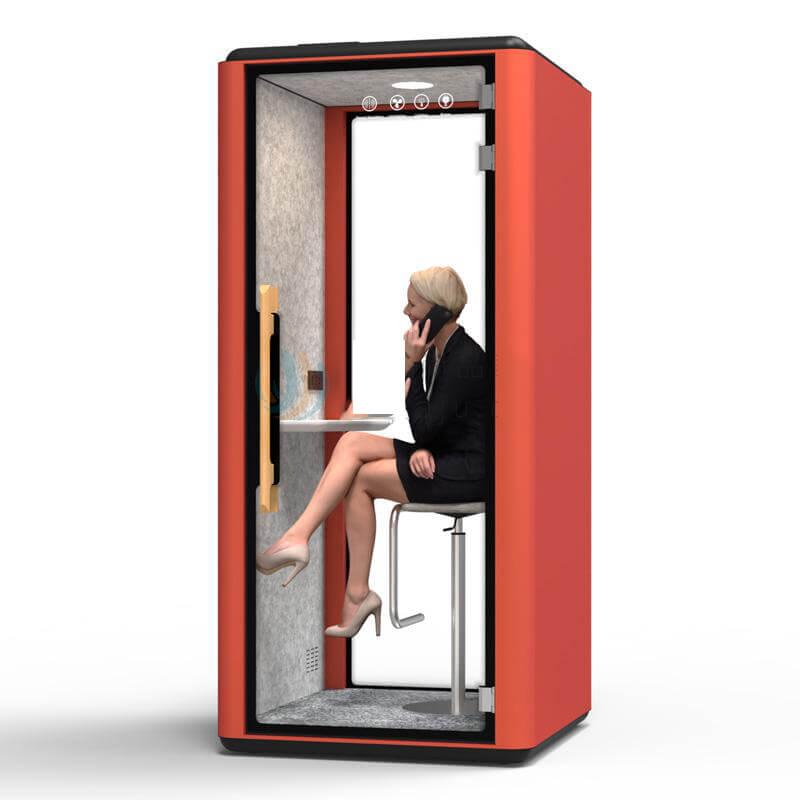
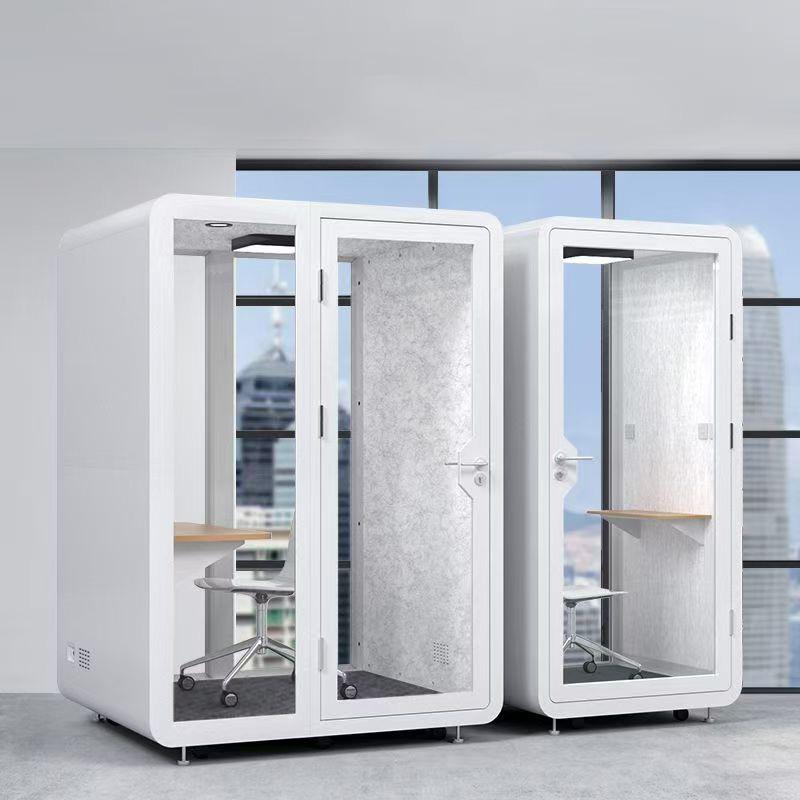
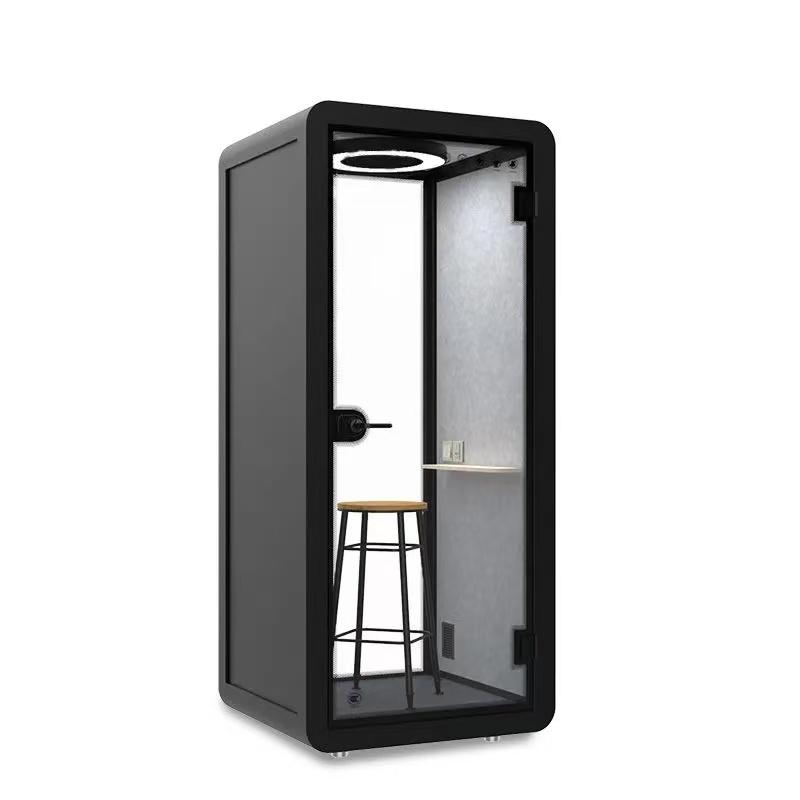
Use a named product reference to make the room sketch tangible. The public SOP-OF104 detail gives a 1400 x 1200 x 2200 mm exterior and a 1200 x 1000 x 1990 mm interior for one person. Its specifications identify 4000 K lighting, but no screen-reflection limit or anti-glare glazing treatment. Mark the exterior envelope on the home plan without interpreting the internal dimensions as an adjustable desk or monitor position. The actual work surface and display arrangement still need confirmation.
Hypothetical planning example: a home worker considers OF104 beside an existing window and reads a spreadsheet after lunch. They sketch two permitted screen directions and compare the same cells from their usual seat. The exercise chooses a direction to investigate; it is not an installed OF104 observation. A mock desk cannot reproduce the final glass or interior finishes, so a promising result remains conditional on a review of the offered arrangement.
Mark bright doorways and fixed room furniture as well as the window. Moving a laptop on an approved surface is different from relocating the entire enclosure. Keep the household blind as a separate control rather than assuming a new accessory can be fitted to the cabin. The source's lighting color temperature identifies a lamp description only; it does not establish brightness at the desk or reflection control for this home.
Pick observation times from the person's ordinary schedule. Someone who starts early and returns after lunch needs those periods represented; a late-afternoon-only demonstration leaves a different question unanswered. Write the actual clock time, date and visible weather condition for each visit to the proposed position. Use clear descriptions such as direct sun on the wall or bright overcast light, without converting an impression into a measured lighting level.
Take a brief look during the chosen task at each relevant time. Note the existing blind position and whether room lighting is in its usual state. If the household normally changes a blind during the day, include that normal change as a distinct condition. Do not wait for one ideal-looking afternoon and present it as the whole workday. When a required hour has not been observed, arrange that visit before relying on it in the purchase decision.
From the normal seated position, identify the shape and location of the interference: window outline across a dark image, bright patch behind spreadsheet columns, or room lamp near the text margin. Sketch it against a simple screen rectangle. Keep a separate note for a bright source seen beside the display rather than reflected in it. These observations lead to different placement questions, even when both are casually called glare.
Describe the action the user takes to continue: moving a little, turning the screen within its allowed adjustment, changing a blind, or abandoning that position. An adjustment that must be held unnaturally is not the same as an ordinary comfortable arrangement. The home worker should judge the task from their actual view.
A room photograph may help explain the light direction to a supplier, but its exposure can make the screen look more or less readable than it was. Use the sketch and task description as the primary comparison. A screenshot captures application content, not the window reflection on the physical display surface.
Begin with controls the household already uses and adjustments the equipment permits. Compare an existing blind position while leaving the display and seat unchanged. Next, if useful, compare a permitted screen angle with the blind restored to its original position. Return to the same document area each time. That makes it easier to tell which change addresses the interference instead of attributing a better view to several unnoticed changes.
Consider what each alternative asks of the household. A blind setting may remove a reflection but close a view another resident uses. A screen angle may clear the window outline yet place the working document outside the preferred viewing position. A promising condition should be judged during the actual task, not accepted merely because the reflection becomes less conspicuous on a blank display.
Do not attach a curtain to the cabin, cover an opening, add film to glazing or alter a lamp to rescue the proposal. Ask the supplier about any new enclosure fitting and the responsible provider about other changes. The useful comparison here is between feasible everyday conditions, not improvised modifications.
A white document can appear readable while a dark image beside it exposes a window reflection. If the job includes both, compare both at the same seat and time. There is no need to cycle through every possible screen pattern; choose the parts of the real task that matter. A theme change is a possible user preference, not proof that the original placement works for content the person cannot simply recolor.
Use the display as it would ordinarily be used. If automatic brightness changes the setting, note that behavior so another comparison is understandable. Do not drive brightness to its maximum merely to overpower a reflection and declare the placement resolved. Ask whether the resulting arrangement supports the actual task and is acceptable to the user. A permitted adjustment can remain an option, but the buyer needs to know whether it is a normal preference or a continual workaround for that particular room position.
Turn the sketch into a concrete request: this is the candidate room position, this is the seated display direction, and this is the window reflection during the working period that matters. Ask whether the offered furniture allows the promising arrangement and which model or option that answer describes. Request clarification where a different door orientation or interior layout is needed, instead of asking whether the cabin is generally good for daylight.
If the observations were made on an existing desk or a temporary representation of the proposed position, say so. That comparison helps choose a direction; it does not reproduce the enclosure's glazing, interior surfaces or final occupied view. Ask for a permitted review of the actual candidate arrangement where available. If the cabin is not yet present at home, identify which reflection question needs checking in the intended installed position rather than treating a showroom's different windows as equivalent.
Send the marked room sketch and reflection notes when asking about SOP office pod configurations, and request the offered furniture position and glazing arrangement for the candidate you intend to compare.
Compare the feasible room positions using the hours that matter most. A location that supports morning document work but depends on a household blind change later may still be acceptable if the people involved want that arrangement. Another position may avoid that dependence but create a different furniture conflict. Make the choice with those conditions visible rather than awarding a general glare-free label to the cabin.
Use the time-and-task table as a blank observation prompt, not a set of invented findings. Fill only the rows relevant to the actual schedule and add the specific display position beside them. Review the choice again when a new screen, desk direction, changed household routine or different season makes the earlier comparison unrepresentative. The next action should follow the map: confirm a supported furniture option, revisit an unobserved hour, or choose another feasible location. Buying a different enclosure on appearance alone would leave the same window-and-screen question unanswered.
| Work period | View to examine | Note to complete |
|---|---|---|
| First working block | Normal document from the proposed seat | Time, window direction and affected text |
| Later daylight block | Same task and display position | Changed reflection shape or no observed change |
| Ordinary blind adjustment | Task with the screen unchanged | View after adjustment and household tradeoff |
| Image or dark-content work | Real task's difficult screen area | What remains visible at that hour |
| Missing work period | Actual work position still to visit | When the missing comparison can be made |
Should the screen face the window?
Compare the real task from the seated reading position rather than adopting one orientation rule. A window in front can be bright beside the display; one behind can reflect in the screen. Try supported angles and the existing blind at the hours the home worker needs.
Does OF104's 4000 K light prevent glare?
No such conclusion follows from the color-temperature entry. It does not describe reflected windows, the physical display finish or task-level light in the home. Use the source to identify the lighting option, then assess the proposed screen view separately.
Will a matte monitor solve the problem?
It may change how the reflection appears, but test the actual monitor and document before relying on it. A diffuse bright patch can still interfere with work. Treat a replacement display as a separate equipment choice rather than a guarantee that any room position will work.
Can I use screenshots to compare window reflections?
A screenshot saves application pixels, not the reflection on the screen surface. A seat-level sketch and task note are more direct. A permitted photograph can explain the geometry, but its exposure may make physical readability appear different from what the user saw.
Do I need to check glare at more than one time of day?
Include the working periods that matter and record weather and blind position. One visit describes only its observed condition. Recheck when seasonal light, equipment or the household schedule changes; do not manufacture a year-round result from a single sunny demonstration.
Finish with a room sketch and a few time-specific screen views that explain the real task. Select a position only with the feasible blind setting, display direction and furniture option attached. If an important hour is missing, the next step is that observation, not an extra lighting accessory chosen without a source to address.
Send the map to the supplier as a configuration question, then revisit the view in the actual candidate arrangement when available. This gives the home worker a practical location decision without turning screen visibility into camera lighting advice, a health promise or a product guarantee.

 Tel: +8613538031763
 Email: info@sopworkpod.com
 MP/WhatsApp: +8613538031763
 Manufacturer Address:Liucheng Lujiang District,Meixi Road,Nanan City,Fujian,China