
Need Help?
Please leave your contact information to get our latest catalog
Get In Touch Now >


Author:SOP Work Pods Manufacturer TIME:2026-11-27
A supplier's camera demonstration can succeed while the intended employees remain unable to use the same accessory. The demonstration computer may already have software installed or permissions that the company's ordinary laptops do not have. Buying the hardware before checking that difference can leave a shared booth with equipment its users cannot access.
Evaluate shared cameras and microphones in phone booth pods under the workplace's normal laptop permissions; this is a deployment decision, not a connector feature. The question here is whether a proposed shared camera or microphone can perform the agreed call task under the workplace's approved software and normal employee permissions. The enclosure is not assumed to include either accessory. The result should be an approved equipment card, or a clear decision to keep users on their existing personal devices.
Ask the seller to name the proposed camera or microphone precisely, including the hardware revision where relevant and any companion software the demonstration uses. A description such as conference camera is not enough to match the item with a workplace approval. Record whether it is supplied with the booth, offered separately or merely borrowed for a demonstration. Procurement should not buy an unnamed accessory on the strength of an attractive picture.
Separate the enclosure from the communications package. A shelf, outlet or opening for a cable does not establish that a camera is provided. Conversely, an accessory placed inside a demonstration booth may be a buyer-owned item. Ask which party supports each component. This prevents a software question being passed repeatedly between the furniture supplier and the workplace IT team after delivery.
Describe the required action in a short sentence: an employee joins the approved call service and uses the named camera or microphone. Keep the scope narrow. Remote-control functions, recording utilities, background processing or other optional capabilities need their own approval if they are actually required. A basic call task should not silently become a request for every feature in the accessory's marketing material.
Do not copy an entire device fleet inventory into the enquiry. IT can identify representative supported laptop groups without exposing serial numbers, user names or management details to the supplier. The supplier needs enough information to answer compatibility questions, not access to company systems or the authority to change their configuration.
Ask IT to define the permitted demonstration conditions. Use the kind of account an ordinary employee actually has, under the organization's normal management arrangements. A supplier technician's administrator session answers a different question. If an approved deployment action must happen before first use, name the IT owner and the supported method without attempting the action through the booth purchasing exercise.
An employee may be allowed to use existing software but not install a new utility. Another approved laptop group may follow a different process. These are questions for the workplace, not assumptions about an operating system. Do not announce that an accessory is driver-free or universally compatible merely because it appeared immediately on one demonstration computer.
Keep any required approval pending until the responsible team responds. A request for elevated access is not an invitation to relax controls, borrow credentials or use an unmanaged computer as a substitute. It may mean that IT must prepare a supported deployment, that another accessory is preferable, or that the shared-equipment idea should be removed from the offer.
Ask the technical owner to separate three observations: whether the approved computer recognizes the accessory, whether the intended call application offers it as a choice, and whether that application is permitted to use it. These are different observations. An item appearing in a system list does not by itself establish that an employee can use it during the ordinary call.
Use only the application's and organization's supported process. This article does not prescribe menu changes, command-line steps or permission overrides. The observer can note that the requested camera was unavailable in the approved service, or that the microphone was selectable but the permitted task remained incomplete. A precise observation is enough for IT and the supplier to investigate their respective parts.
Also identify which application route was used, such as the approved desktop application or the organization's supported browser route. Do not extend success in one to another without review. The required result is tied to the actual employee workflow, not to the widest compatibility statement someone can infer from a successful preview window.
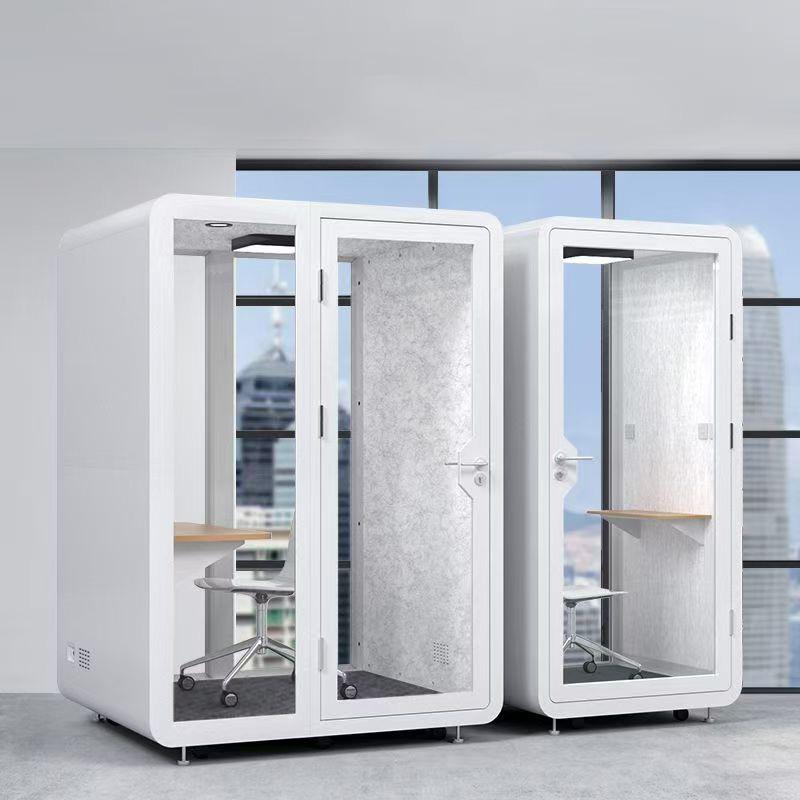
Have the technical owner arrange a neutral call under the agreed conditions. The employee should perform the ordinary actions they will use after handover: join, select the approved input where permitted, communicate briefly and leave. Use harmless spoken material. There is no need to share a client meeting, record voices or give the seller remote access to a company computer.
Ask the remote participant only about the agreed task, such as whether the selected microphone was the one being used or whether the intended camera view arrived. These are functional observations, not acoustic or image-quality certification. Record the accessory identity and approved application route beside the result so a later reviewer can understand what the observation applies to.
The table organizes the questions that need separate answers. It is not a completed approval. If a step cannot be observed because the required employee device or IT owner is unavailable, leave that item pending. A successful supplier-laptop demonstration may still help explain the accessory, but it cannot replace the missing workplace observation.
If the demonstration needs a software change, pause the affected task and return it to IT. Do not keep trying alternative accounts or removing restrictions until something works. Procurement needs a repeatable permitted arrangement. A one-time success obtained through an exception that employees will never receive does not solve the buying problem.
| Question | Responsible answer | What stays unresolved without it |
|---|---|---|
| Which camera or microphone is proposed? | Supplier names exact supplied item and required software | Approval cannot be matched to delivered equipment |
| Can employees use the approved application with it? | IT defines the supported route and permissions | Supplier demonstration does not establish employee use |
| Who prepares first use? | Workplace names its approved deployment owner | Users may receive equipment before it is usable |
| What if the accessory or software changes? | Supplier and IT identify the affected approval | A replacement may fall outside the original decision |
Ask who prepares an employee laptop for first use if preparation is required. The answer could involve an existing approved software package or another process selected by IT. Obtain the commitment before treating the peripheral as ready for rollout. Avoid a handover note that merely says users should contact support: it leaves the effort and prerequisite invisible until the equipment is already installed.
Then discuss change ownership. The accessory supplier may issue a revised device or software release, and the workplace may change its supported application. Ask how an offered replacement is identified and who reviews whether the approved arrangement still applies. No universal retest interval is required here; identify the change that would invalidate the earlier approval.
If companion software requires an account, a subscription or another continuing condition, have the responsible team evaluate that requirement. Do not infer that a physical camera purchase includes service access. The purchasing record should distinguish hardware supply from any approved software arrangement and show who can answer a later support question without requiring an employee to negotiate with several unrelated contacts.
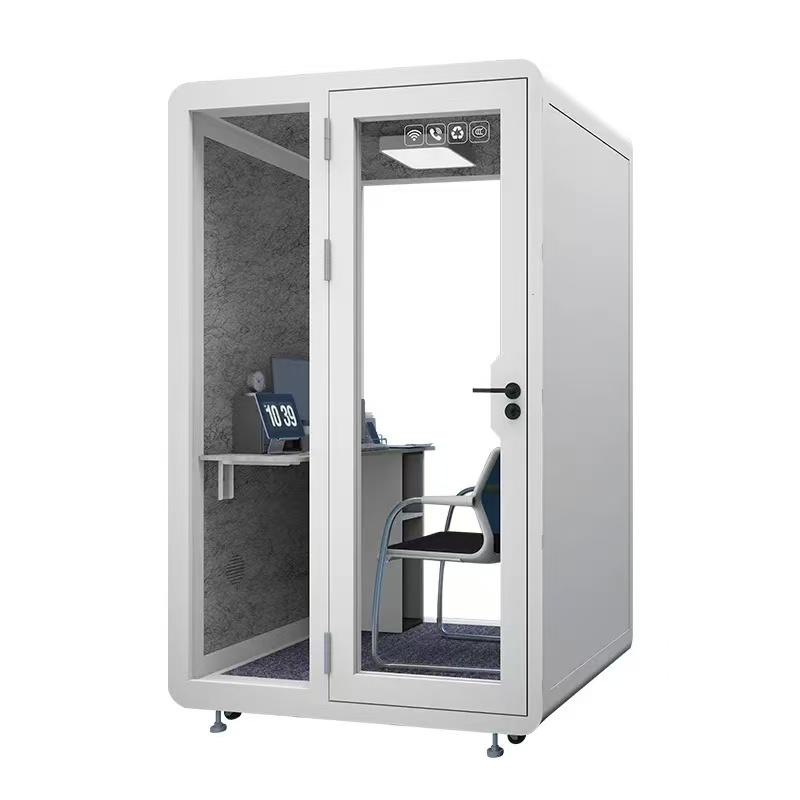
Request the physical configuration through the SOP phone booth pod range, while keeping the shared-peripheral deployment card with IT and the accessory supplier rather than assigning computer permissions to the enclosure.
A shared camera or microphone is not automatically the better option. If ordinary users can already complete the required calls with their approved laptops and listening equipment, a usable surface and confirmed physical arrangement may be the appropriate purchase. Compare that simpler option with the actual benefit of the proposed accessory rather than treating extra electronics as a sign of a more complete booth.
Where shared equipment is justified, attach a short deployment card to the offer. Name the accessory, supply responsibility, required approved software, supported employee laptop groups, application route, first-use preparation and support owner. State what remains untested. This card is narrower than a general USB capability statement: it explains how the workplace will make the device available to ordinary people.
Ask for review when the supplier substitutes another hardware revision or bundled utility. A similar product name does not answer the permission question. The buyer can accept the revised offer after the appropriate owner resolves it, or omit the accessory while retaining the enclosure. The final decision should make that choice explicit so a later installation team does not add unapproved equipment to fill an apparently empty space.
Does a working USB connection prove employee permission?
No. Connection capability and workplace permission answer different questions. Ask IT to confirm the approved application route and observe the ordinary task under normal employee conditions. Do not replace that missing answer with a supplier's administrator-account demonstration.
Should the supplier be given administrator access for the trial?
This purchasing exercise does not require it. Let the organization's authorized technical owner arrange the demonstration. If preparation is necessary, it should follow the workplace's approved process rather than a temporary access concession made to complete a sales presentation.
Can procurement call an accessory driver-free?
Only use a statement supported for the exact device and intended managed arrangement. A successful demonstration on another computer is not enough. Ask what software the supplier used and have IT determine what applies to the supported employee device groups.
What is the alternative when shared equipment is not approved?
Retain the required call task and consider employees' existing approved equipment in a suitable furnished booth. If that arrangement meets the need, omit the unsupported accessory explicitly. Do not weaken device controls to preserve an optional hardware line in a quotation.
Before paying for a shared booth camera or microphone, establish how an ordinary employee will use it through an approved application. Hardware identity, software requirements and permission ownership matter more than a demonstration performed with unexplained privileges.
Order the accessory when a specific, supported deployment can be described. Otherwise choose the simpler workstation or leave the accessory pending. The enclosure purchase should not create an unowned IT project or an expectation that employees will work around controls.

 Tel: +8613538031763
 Email: info@sopworkpod.com
 MP/WhatsApp: +8613538031763
 Manufacturer Address:Liucheng Lujiang District,Meixi Road,Nanan City,Fujian,China