Author:SOP Work Pods Manufacturer TIME:2026-10-05
What does the phrase USB-C included actually buy? For phone booth pods for offices, the answer needs separate statements about power, data, and video, plus the equipment and cables on which each statement depends. The connector's physical shape does not establish every capability. A photograph of a socket cannot fill in the missing specification, and this guide does not claim that any particular SOP configuration includes a USB-C port, dock, or supported display connection.
Ask for a written capability statement before arranging a demonstration. Its purpose is to make a supplier answer precise enough that procurement can compare it with the intended device pairing. A successful connection can then confirm a defined task instead of being stretched into an undocumented promise about everything the port might do.
Begin with what the person needs to connect. Charging a phone during a voice call, powering a laptop while it runs the intended work, using an approved peripheral, and sending an image to a display are separate requests. Select only the tasks required for this workplace. A buyer who needs charging alone should not imply a data or video requirement by asking for a fully featured connector.
For each task, name the device and the component it connects to. Describe the practical result in ordinary language: the intended phone indicates charging, the approved accessory performs its assigned action, or the selected display receives the intended image. These are requirements awaiting evidence, not assertions that a proposed port already supports them. Ask which tasks are included, optional, excluded, or still unconfirmed.
Keep the requirement attached to the offered furniture and electrical option. A brochure may illustrate a different interface panel from the one being quoted. Ask the supplier to identify the exact option and any buyer-provided equipment it expects. If no port is included, record that plainly and evaluate any separately proposed connection arrangement on its own documented scope.
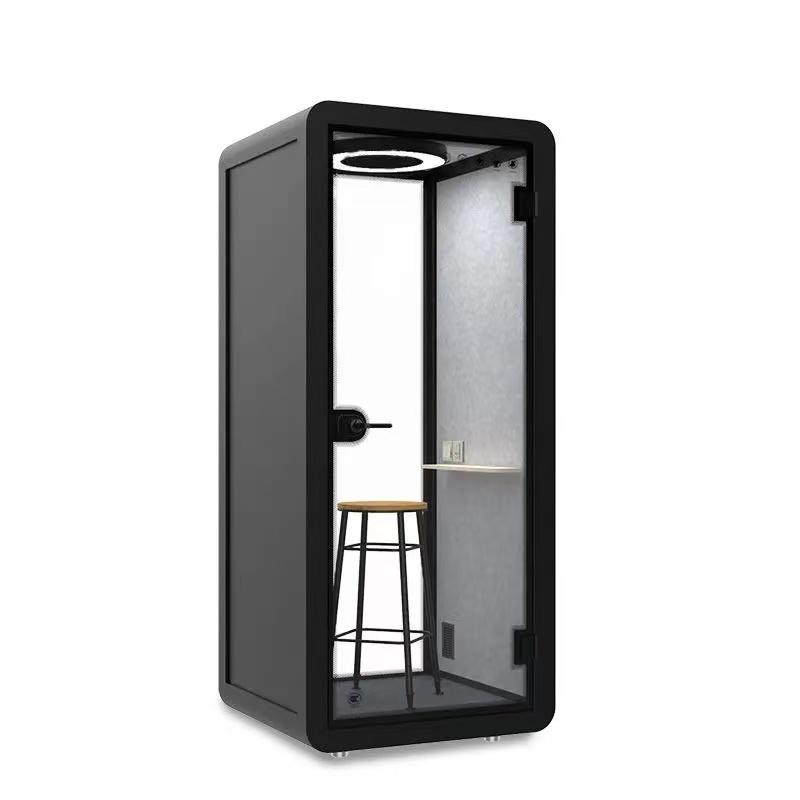
Request an offer-specific port statement for SOP phone booth pods, with every included component and excluded function identified before comparing connection options.
Draw a simple connection path from the user's device to the destination needed for the task. Ask the supplier whether the visible connection is an identified powered outlet, a pass-through connection, part of a dock, or another documented assembly. Do not infer the answer from its appearance. The useful drawing names each component and shows where power, data, or display information is intended to go.
Mark who supplies each item: interface assembly, power source, intermediate equipment, cable, user device, and destination peripheral or display. Ask for the component identities and applicable documents without opening panels or examining live wiring. A path that ends at an unnamed box is still incomplete. Where the buyer supplies a dock or adapter, its compatibility becomes a separate condition to verify, not a capability inherited from the enclosure.
For power, ask what the exact offered assembly documents for the intended device connection. Have the responsible technical owner compare that information with the device manufacturer's requirements and the proposed cable. Do not insert a wattage or charging-rate promise into the purchasing brief without applicable evidence. The buyer's task statement should also say whether the device is working during the trial; an idle charging indication answers a narrower question.
For data, identify the destination and the permitted action. An approved peripheral must be able to perform the task the buyer needs, but a charging observation does not establish that route. Ask which intervening components and device settings are required. If the workplace prohibits the intended connection, resolve that requirement with IT rather than weakening device controls to make a supplier demonstration succeed.
For video, request a written answer about the proposed source device, cable, intermediate equipment, and display. The answer needs to identify what image output is supported for that pairing and what remains excluded. Do not assume that a socket with the right shape provides a display route, or transfer a result from a demonstration laptop to the workplace's device without checking applicability.
Keep undocumented capabilities in their own category. Not offered means the supplier excludes the function; not confirmed means an answer is missing. Those conditions create different purchasing choices. The capability table is a request for supplier evidence, not a specification for a currently verified SOP interface. Leave a required row open until the exact offered path can be evaluated.
| Requested capability | Written supplier answer | Pairing evidence to retain | What this does not establish |
|---|---|---|---|
| Power for the intended device | Applicable output and required components | Device task, cable identity, offered power path | Data transfer, video output, or a universal charging rate |
| Approved data task | Supported destination and required path | Named device and permitted peripheral action | Compatibility with every accessory or guest device |
| Video to the selected display | Supported source-to-display arrangement | Source device, cable, intermediate equipment, display | Video capability from connector shape alone |
| Required combined use | Conditions for the requested simultaneous tasks | The complete combination operating as intended | Combined capability from unrelated separate demonstrations |

Prepare an equipment list for the demonstration with the actual device model, intended connection, cable identity, and any adapter or dock in the path. Use manufacturer documentation or supplier confirmation to establish the cable's relevant capabilities; do not judge it by the connector alone. An unlabelled demonstration cable creates an unresolved dependency if the delivered arrangement will use something else. Ask whether the same identified cable is included, separately supplied, or only borrowed for the trial.
Treat staff and guest devices as different scope questions. A managed workplace may be able to name an approved device set; a visitor area may not. Do not convert a manageable trial set into universal compatibility language. List untested combinations and decide whether the workplace needs an explicitly approved alternative. Keep that alternative limited to its documented task instead of promising that any charger, cable, or adapter will resolve an unsupported connection.
Run the agreed tasks separately before considering a combined session. This makes the observations understandable: a phone shows charging, the approved peripheral responds, or the intended display receives the required output. Preserve the exact equipment path for each result. Do not attribute a function to the wall interface if a buyer-provided component supplied the relevant capability.
Where simultaneous use is required, request applicable supplier information and trial the intended combination with the technical owner. Ask whether behavior changes when the other specified connection is occupied or when the laptop performs its normal task. Record the observation without inventing a shared-power rule. A separate success for each function does not, by itself, confirm the buyer's combined-use requirement.
Describe a failure before replacing components. If a supplier proposes a different cable, dock, or device, record that as a new pairing and repeat the affected requirement. A successful substitution does not approve the original offer. The sequence below keeps the demonstration connected to the purchasing statement and avoids trial-and-error work on an unidentified electrical assembly. Stop using damaged equipment or an abnormal powered arrangement and refer it to the responsible technical owner.
Write the final statement by connection path rather than by promotional feature. Name the interface option, the supplied components, the buyer-owned components, and each confirmed task. Attach the document or trial record supporting that task, together with its limitations. Explicitly state excluded functions so charging-only provision cannot later be understood as an agreed data and video connection. Unanswered mandatory requirements should remain visible in the offer comparison.
Make replacement review specific. If a cable, interface module, dock, power component, or workplace device changes, identify which capability rows depend on it. Request updated applicability evidence and repeat the affected pairing before carrying the statement forward. Procurement should be able to see what the offer promises without becoming responsible for technical diagnosis. A short, accurate statement is more useful than an expansive USB-C label that nobody can interpret consistently.
Is charging-only provision an incomplete specification?
Not when charging is the entire agreed task and the exact provision is documented. Make the data and video exclusions explicit so other teams do not interpret the connector label as a broader commitment.
Does a working demonstration cable have to be part of the offer?
Its supply status must be clear. If another cable will be used, verify that cable against the required task and pairing. Do not base acceptance on an unidentified accessory that disappears after the demonstration.
Can a supplier's laptop stand in for the workplace device?
It can demonstrate its own documented pairing, but it does not automatically confirm another laptop. Keep the workplace combination untested until applicable documentation and the required device check support the intended statement.
What if charging works but the required display connection does not?
Preserve the separate results. The power row may have useful evidence while the video requirement remains unresolved or unsupported. Review the actual video path with the technical owner instead of relabelling the entire interface as compatible.
Who approves a replacement cable or dock?
Assign that decision to the owner of the affected equipment requirement, using the documented capability rows. Procurement should preserve the revised identities and evidence rather than accepting a replacement solely because its connectors look similar.
Compare the words in the offer with the device task, not the shape of the socket. For phone booth pods for offices, a defensible USB-C requirement names power, data, and video separately, identifies the entire connection path, and limits each claim to applicable evidence.
Before accepting the option, have the supplier complete the capability statement and the responsible technical owner resolve the required device pairings. Accept a narrower documented function when that is all the workplace needs; do not pay for an ambiguous broader promise or treat an untested function as included.

 Tel: +8613538031763
 Email: info@sopworkpod.com
 MP/WhatsApp: +8613538031763
 Manufacturer Address:Liucheng Lujiang District,Meixi Road,Nanan City,Fujian,China