Need Help?
Please leave your contact information to get our latest catalog
Get In Touch Now >


Author:SOP Work Pods Manufacturer TIME:2026-08-28
A silent phone booth feels comfortable for long video calls when its air, sound, light, furniture, technology, and operating rules continue to work after the first few minutes. A showroom visit can reveal finish and basic dimensions, but it cannot show heat accumulation, fan pickup through a microphone, screen glare, seat pressure, or attention fatigue during a ninety-minute client workshop.
Comfort should therefore be treated as a time-based human-factors result. Buyers need an authentic call profile, a complete workstation, an occupied trial, and observations at planned intervals. The aim is not to claim perfect silence. It is to create a stable environment where users can speak naturally, see and be seen clearly, maintain a workable posture, and finish without opening the door because the enclosure has become uncomfortable.

List the sessions that exceed normal phone-booth use: customer workshops, interviews, remote training, design reviews, counseling within relevant professional requirements, investor discussions, or consecutive sales demonstrations. Record duration, participants, speaking share, screen sharing, camera use, equipment, breaks, documents, and confidentiality needs.
Identify the most demanding credible condition. Two active displays, a high-performance laptop, camera, light, dock, and user add more heat than a short audio call. Continuous speaking changes breathing and perceived air quality. Animated conversation produces different microphone and speech-privacy conditions from passive attendance.
Set a practical use boundary. A compact single-person booth may support a long individual call but not a two-person workshop. Define maximum occupancy, session length, required recovery interval, and the point at which a larger room should be booked. These rules should be confirmed through testing rather than copied from another workplace.
Ask how air enters, crosses the occupied zone, exits, and responds when the door closes. The booth exchanges air with the surrounding office, so base-building temperature and air quality remain important. Check inlet and outlet clearance after installation. Furniture, walls, curtains, or storage should not restrict the designed path.
Run the intended equipment for the full session. Record initial condition, temperature perception, air movement, fan setting, odor, drowsiness, and the time when the user first wants to open the door. If the call has a break, observe how quickly the booth recovers and whether the next user inherits heat or odor.
Avoid treating one maximum airflow number as proof of comfort. Distribution, noise, controls, maintenance, filter condition, room environment, and user tolerance all matter. Facilities should know how to inspect grilles, reach replaceable parts, and identify a degraded fan before complaints become routine.
What sounds quiet to the seated ear can sound different through a laptop microphone, headset, automatic gain control, noise suppression, or recorded platform. Test the exact approved device at normal speaking level. Ask a remote participant to compare ventilation settings and listen for steady tone, cycling, vibration, or speech pumping.
Check internal reflections and microphone distance. Hard parallel surfaces can make speech tiring or cause echo, while excessive soft treatment may create a dull video-call experience. Position the microphone away from direct air movement and keyboard vibration. Use a stable boom or headset where appropriate.
Test sound leaving the booth as well as sound entering it. Long calls can include louder moments and repeated speech. Listen at adjacent desks and circulation during representative office activity. Buyers can compare silent phone booth configurations, then verify complete installed behavior instead of relying on the product label.
Set the camera at a natural eye line and enough distance to avoid an extreme wide-angle face. Check whether the wall, door, or glass behind the user reveals office activity or confidential material. A neutral, real background is often more reliable than software blur, but the choice should follow organizational practice.
Use soft face lighting with adjustable level and no visible flicker. Observe reflection in glasses, screen, table, and glazing. Bright lights can improve the camera while increasing eye strain and heat. Test daytime and evening conditions because external office light changes exposure.
Provide a low-effort control sequence. Users should not spend the first five minutes adjusting multiple lights and camera settings. Mark an approved default and allow limited personal adjustment. Check that controls are reachable, understandable, and usable by people with varied visual or mobility needs.
Measure table height and depth, knee clearance, monitor distance, seat height, back support, arm position, mouse movement, and the ability to stand. Integrated seats can keep a booth compact but may not fit every body. Movable seats provide adjustment only if there is enough space to position them safely.
Arrange laptop, monitor, camera, notes, drink where permitted, and input devices at full scale. A shelf may support a short call while forcing the user to hunch during screen sharing. Keep cables out of foot space and maintain a clear exit. Avoid adding unapproved cushions or furniture that blocks ventilation or changes fire load.
Plan movement breaks. A booth is not intended to keep a person enclosed all day. For a long call, schedule a pause where the meeting allows it and use the recovery interval before another occupant. Workplace ergonomics guidance and individual needs should inform use.
Long video calls already demand attention. Reduce unnecessary controls, visual clutter, notifications, booking alarms, and door interruptions. Use an occupied indicator that is visible without exposing the meeting subject. Position the pod away from high-traffic sightlines where colleagues repeatedly make eye contact with the user.
Set booking buffers so the user can connect, arrange notes, and leave the booth reset. A reservation that starts at the exact first speaking minute encourages rushed setup. A session that ends when the next person is waiting creates conflict and discourages proper sign-out.
Provide a simple internal instruction for ventilation, lighting, help, and fault reporting. Avoid feature descriptions and long rules on the wall. The user should be able to operate the booth without learning a new interface during a client call.
Alternate seated work with the small movements that occur during a real call: reaching for a charger, consulting a second screen, writing, changing posture, and turning toward the door. These actions reveal glare, cable conflict, limited elbow space, awkward camera framing, or control locations that remain invisible when a reviewer sits still for a few minutes. Record which adjustment solves the issue and whether it creates a new problem elsewhere.
| Observation point | What to record | Possible cause | Follow-up |
|---|---|---|---|
| Air and temperature | First discomfort time, fan setting, door action | Room climate, blocked path, equipment heat | Inspect environment and repeat occupied test |
| Remote audio | Fan tone, echo, keyboard, speech clarity | Microphone, reflections, air direction | Adjust setup and retest through platform |
| Visual comfort | Glare, flicker, eye strain, camera exposure | Light position, screen, glazing, brightness | Change default lighting or workstation position |
| Posture | Neck, shoulder, back, wrist, leg pressure | Seat and surface dimensions | Review furniture or route call to larger room |
| Attention | Door interruption, control effort, visual traffic | Location, booking, interface | Change zoning, indicator, or operating rule |
| Technology | Drop, lag, battery, cable, sign-in issue | Network, power, device management | Assign IT action and verify fallback |
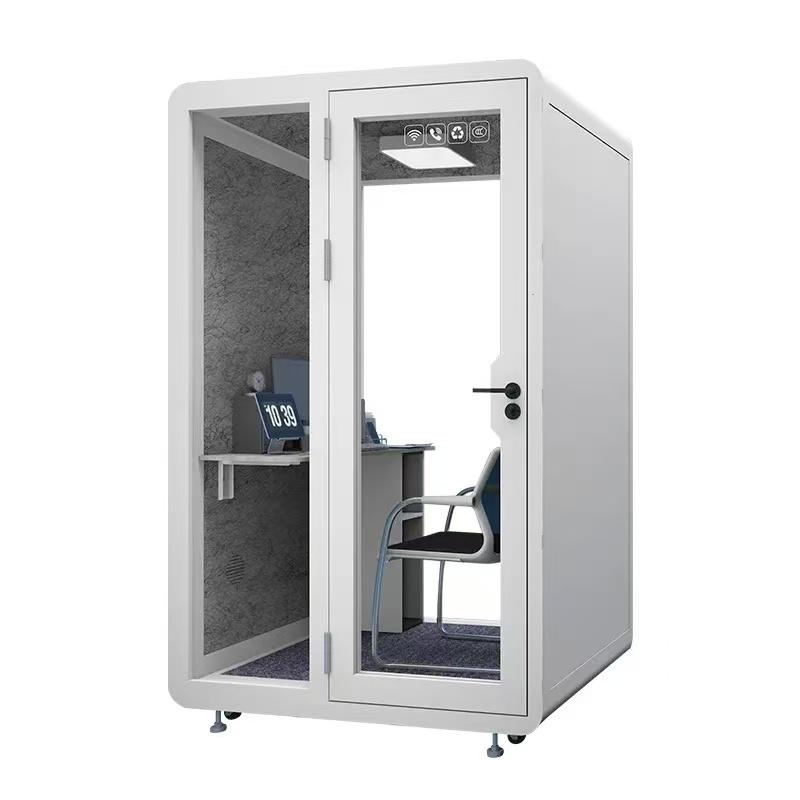
Run actual platform calls from the final location during busy network periods. Test video, audio, screen sharing, file access, authentication, and reconnection. Wireless signal bars are not sufficient evidence. Where practical, plan managed wired data or a verified wireless design with IT.
Provide power for the approved devices without loose adapters across the floor. Confirm outlet and cable positions before ordering. Shared booths should not accumulate unknown chargers. Keep a small, managed set of compatible accessories and a clear process for missing or damaged items.
Define fallback. A user should know which room or connection to use if the booth network, fan, door, or power fails. Fault reporting needs a pod identifier and category. Repeated failures should trigger maintenance analysis, not a series of user resets.
Use the intended user, devices, platform, lighting, ventilation, and room location. Begin with a pre-call check, join a remote participant, speak for representative periods, share content, type notes, sit quietly, and complete normal after-call work. Do not open the door unless discomfort would make a real user do so; record the time and reason.
Capture observations at the start, fifteen minutes, forty-five minutes, seventy-five minutes, and end. Include remote audio quality, local fan perception, temperature, air freshness, posture, glare, concentration, and door interruptions. Use specific observations rather than a single comfort score.
Repeat with different representative users and at a warmer or busier period. Correct issues and retest the changed condition. A one-time success does not establish comfort for every season, body, device, or call type, but a structured lab exposes the most important risks before scale purchase.
The table turns subjective impressions into conditions that facilities and suppliers can investigate. It does not replace specialist ergonomic or environmental assessment where required.
Include transitions in the endurance trial. The occupant should enter with the normal laptop, connect power and peripherals, adjust the fan and light, join the call, share material, and leave the booth ready for another user. Friction at those transitions can matter as much as seated comfort. Record whether cables, controls, personal items, heat, and stale air create a reset burden that short tests do not reveal.
Use the product limits, workplace policy, session type, base-building condition, and occupied trial. There is no universal duration that suits every booth and user.
No. Air distribution and occupied comfort matter alongside sound. Test the complete airflow and microphone result over the intended session.

It can improve microphone consistency, but internal reflections, external speech, ventilation noise, comfort, and sound leaving the booth still require evaluation.
Normal use generally assumes the door operates as designed. If users need to open it for comfort, investigate the cause and revise the use limit or environment.
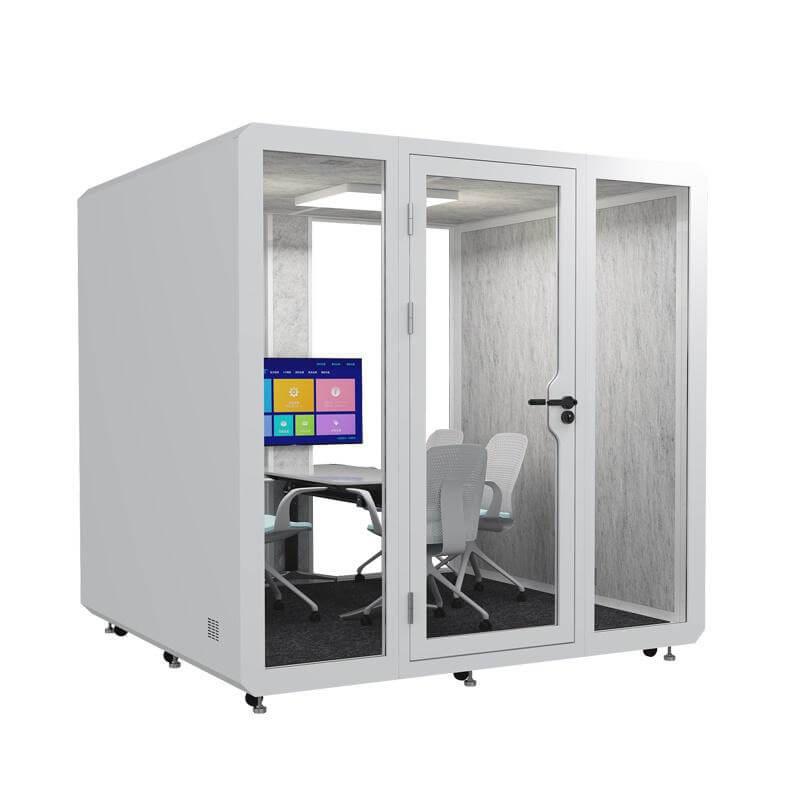
What makes a silent phone booth comfortable for long video calls is sustained performance: adequate air, controlled fan sound, balanced lighting, usable camera geometry, supportive posture, low cognitive friction, and reliable connectivity. Each factor should be assessed with the real workstation and platform.
Judge the booth at the end of a representative call, not at the moment the user sits down. A timed occupied lab with different users and documented follow-up provides a stronger basis for selection and operating limits than a brief showroom impression.
What should be retested after a booth move? Repeat air, acoustic, network, lighting, access, technology, and emergency checks affected by the new location.

 Tel: +8613538031763
 Email: info@sopworkpod.com
 MP/WhatsApp: +8613538031763
 Manufacturer Address:Liucheng Lujiang District,Meixi Road,Nanan City,Fujian,China


